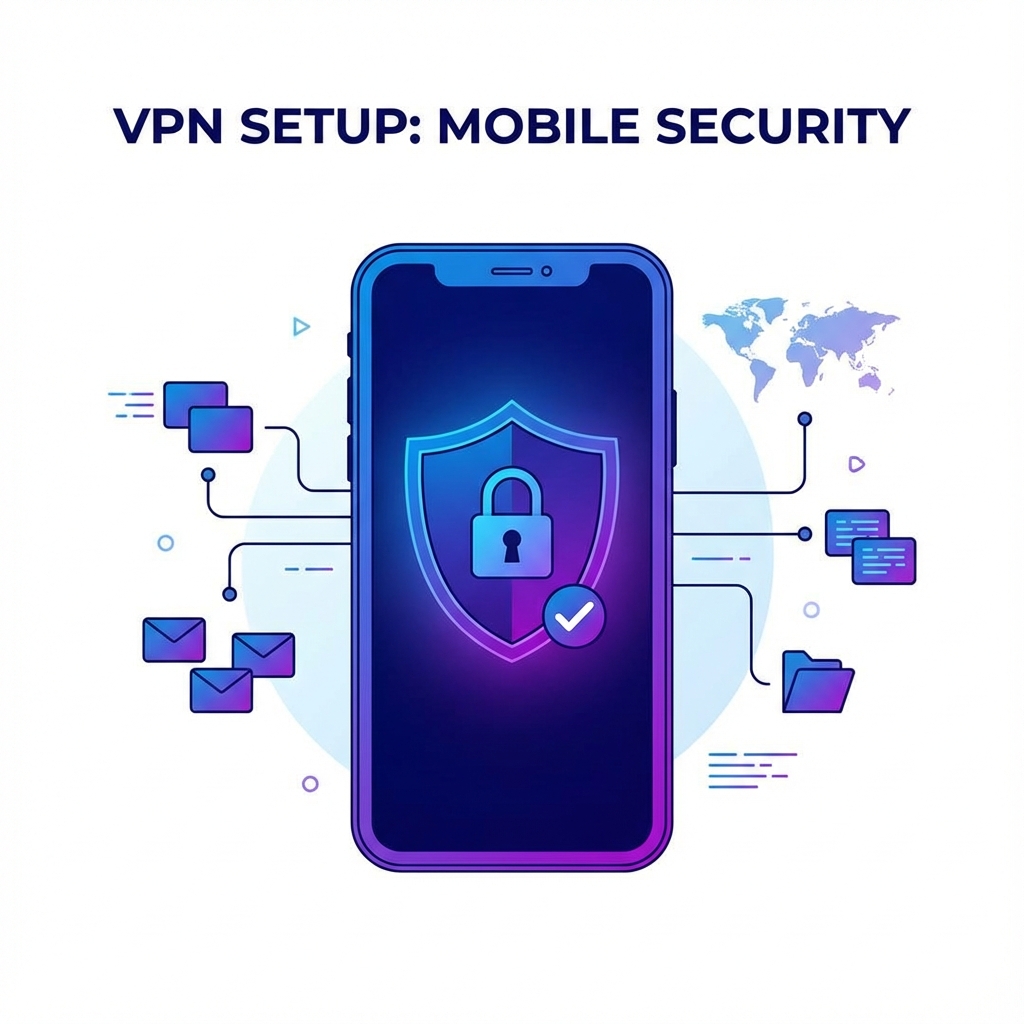


In an era where our digital lives are constantly under surveillance—whether by governments, corporations, or malicious hackers—protecting your online privacy has never been more crucial. A Virtual Private Network, or VPN, has become an essential tool for millions of internet users worldwide. But what exactly is a VPN, and how does it work?
In this comprehensive guide, we'll explore everything you need to know about VPNs: from the basic technology behind them to advanced features, use cases, and how to choose the right VPN for your specific needs. Whether you're a complete beginner or looking to deepen your understanding, this guide has you covered.
What is a VPN? Understanding the Basics
A Virtual Private Network (VPN) is a technology that creates a secure, encrypted connection between your device and the internet. Think of it as a private tunnel through the public internet—data traveling through this tunnel is protected from prying eyes.
When you connect to the internet without a VPN, your data travels openly from your device to websites and services. Your Internet Service Provider (ISP) can see everything you do online, and websites can identify you through your IP address. A VPN changes this by:
- Encrypting your internet traffic: All data sent from your device is scrambled using military-grade encryption, making it unreadable to anyone who intercepts it.
- Masking your IP address: Instead of showing your real location, websites see the VPN server's IP address, protecting your identity and location.
- Routing traffic through secure servers: Your connection passes through a VPN server before reaching its destination, adding an extra layer of protection.
The History of VPNs
VPN technology was first developed in 1996 by a Microsoft employee named Gurdeep Singh-Pall, who created the Point-to-Point Tunneling Protocol (PPTP). Originally designed to allow remote workers to securely connect to corporate networks, VPNs have evolved significantly over the past three decades.
Today's VPNs use sophisticated encryption protocols and offer features that early developers could never have imagined. What was once an enterprise-only tool is now accessible to everyday consumers, with user-friendly apps available on every platform.
How Does a VPN Work? A Technical Deep Dive
Understanding how a VPN works helps you appreciate why it's such an effective privacy tool. Let's break down the process step by step:
Step 1: Connection Initiation
When you open your VPN app and tap "Connect," your device initiates a handshake with the VPN server. During this process, both parties verify each other's identity and negotiate which encryption method to use.
Step 2: Encrypted Tunnel Creation
Once the handshake is complete, an encrypted tunnel is established between your device and the VPN server. This tunnel uses protocols like OpenVPN, WireGuard, or IKEv2 to ensure secure data transmission.
Step 3: Data Encapsulation
All your internet traffic is now "encapsulated"—wrapped in additional layers of encryption. Your original data packets are encrypted and placed inside new packets, hiding not just the content but also information about where the data is going.
Step 4: Secure Transmission
Your encrypted data travels through the VPN tunnel to the server. Even if someone intercepts this data—your ISP, a hacker on public WiFi, or a government agency—they'll see only encrypted gibberish.
Step 5: Decryption and Forwarding
The VPN server decrypts your data and forwards your request to the destination website or service. The response travels back through the tunnel, is encrypted again, and delivered to your device.
VPN Encryption: Your Digital Shield
Encryption is the cornerstone of VPN security. But what exactly is encryption, and why does it matter?
Understanding Encryption
Encryption is the process of converting readable data (plaintext) into unreadable code (ciphertext) using a mathematical algorithm and an encryption key. Only someone with the correct decryption key can convert the data back to its original form.
AES-256: The Gold Standard
Most reputable VPNs, including Ryn VPN, use AES-256 encryption—the same standard used by governments and militaries worldwide. AES-256 is so secure that cracking it through brute force would take billions of years with current technology.
The "256" refers to the key length: 256 bits. This means there are 2^256 possible key combinations—a number so large that writing it out would take more space than this entire article.
VPN Protocols Explained
VPN protocols determine how your data is encrypted and transmitted. Here are the main protocols you should know:
- OpenVPN: The industry standard for years. Open-source, highly secure, and widely supported. Works on TCP and UDP ports.
- WireGuard: A newer protocol gaining popularity for its speed and modern cryptography. Uses less code, making it easier to audit for security.
- IKEv2/IPSec: Excellent for mobile devices due to its ability to quickly reconnect after network changes. Fast and secure.
- L2TP/IPSec: An older protocol that's still widely used. Secure but can be slower than newer options.
- PPTP: The oldest VPN protocol. Fast but considered insecure by modern standards—avoid using it.
Why Do You Need a VPN? Top Use Cases
VPNs serve many purposes beyond simple privacy protection. Here are the most common reasons people use VPNs:
1. Protecting Your Privacy Online
Every website you visit, every search you make, and every video you watch can be tracked without a VPN. ISPs, advertisers, and even governments may monitor your online activity. A VPN prevents this tracking by hiding your IP address and encrypting your traffic.
2. Securing Public WiFi Connections
Public WiFi networks at cafes, airports, and hotels are notorious hunting grounds for hackers. These networks are often unencrypted, making it easy for attackers to intercept your data. A VPN encrypts your connection, protecting sensitive information like passwords and credit card numbers.
3. Bypassing Geo-Restrictions
Many streaming services, websites, and content are restricted based on your location. With a VPN, you can connect to servers in different countries and access content as if you were physically there. Watch Netflix libraries from other countries, access region-locked games, or read news from around the world.
4. Avoiding Censorship
In some countries, internet censorship blocks access to social media, news sites, and communication tools. A VPN can bypass these restrictions, giving you access to the free and open internet.
5. Safe Torrenting and P2P Sharing
If you use peer-to-peer file sharing, a VPN protects your identity from other users in the swarm and prevents your ISP from throttling your connection or sending warning letters.
6. Preventing Price Discrimination
Airlines, hotels, and online retailers often show different prices based on your location or browsing history. A VPN can help you find better deals by masking your location and preventing price tracking.
7. Secure Remote Work
Remote workers use VPNs to securely access company resources from home or while traveling. This protects sensitive business data from interception.
How to Choose the Best VPN: Key Features to Consider
With hundreds of VPN providers on the market, choosing the right one can be overwhelming. Here are the essential features to evaluate:
Security and Privacy Features
- No-logs policy: The VPN should not collect or store any data about your online activities.
- Strong encryption: Look for AES-256 encryption and modern protocols like WireGuard or OpenVPN.
- Kill switch: Automatically disconnects your internet if the VPN connection drops, preventing data leaks.
- DNS leak protection: Ensures your DNS requests are also routed through the VPN.
Server Network
- Number of servers: More servers mean less congestion and better speeds.
- Geographic coverage: Servers in many countries give you more options for bypassing geo-restrictions.
- Specialty servers: Some VPNs offer servers optimized for streaming, gaming, or torrenting.
Speed and Performance
All VPNs add some overhead that can slow your connection. Look for VPNs known for fast speeds, modern protocols like WireGuard, and servers with high bandwidth capacity.
Device Compatibility
Ensure the VPN has apps for all your devices—smartphone, laptop, tablet, and smart TV. Check how many simultaneous connections are allowed per subscription.
User Experience
A VPN should be easy to use, even for non-technical users. Look for intuitive apps, one-click connection, and helpful features like automatic server selection.
Customer Support
Good customer support is essential. Look for 24/7 live chat, comprehensive guides, and a responsive support team.
Price and Value
VPN prices range from a few dollars to over $10 per month. Consider the features offered at each price point and look for money-back guarantees or free trials.
VPN Myths Debunked
There's a lot of misinformation about VPNs. Let's clear up some common myths:
Myth 1: "VPNs Make You Completely Anonymous"
Reality: While VPNs significantly enhance your privacy by hiding your IP and encrypting traffic, they don't make you completely anonymous. Websites can still track you through cookies, browser fingerprinting, and account logins. For maximum anonymity, combine a VPN with other tools like privacy-focused browsers and cookie blockers.
Myth 2: "All VPNs Are the Same"
Reality: VPNs vary dramatically in security, speed, features, and trustworthiness. Free VPNs often log and sell your data, while premium services offer genuine privacy protection. Research is essential before choosing a provider.
Myth 3: "VPNs Are Only for Illegal Activities"
Reality: The vast majority of VPN users are ordinary people protecting their privacy, accessing content while traveling, or securing public WiFi connections. VPN use is completely legal in most countries.
Myth 4: "Free VPNs Are Just as Good as Paid Ones"
Reality: Free VPNs must make money somehow—usually by logging and selling your data, showing ads, or limiting speeds and features. Paid VPNs can afford to operate without compromising your privacy.
Myth 5: "VPNs Slow Down Your Internet Too Much"
Reality: While some slowdown is inevitable due to encryption overhead, modern VPNs like Ryn VPN using protocols like WireGuard often cause minimal speed reduction—sometimes just 10-20%.
Setting Up and Using a VPN: A Complete Tutorial
Getting started with a VPN is simpler than you might think. Here's a step-by-step guide:
Step 1: Choose Your VPN Provider
Based on the factors we discussed, select a VPN that meets your needs. Ryn VPN offers an excellent combination of security, speed, and ease of use, with a free tier to get started.
Step 2: Download the App
Visit your chosen VPN's website or your device's app store. Download the app for your platform—Windows, Mac, iOS, Android, or Linux.
Step 3: Create an Account
Sign up for an account. Some VPNs allow anonymous signup with email alone, while others may require payment information.
Step 4: Install and Launch
Install the app and open it. You'll be prompted to log in with your account credentials.
Step 5: Connect to a Server
Most VPN apps have a prominent "Connect" button that automatically selects the best server. Alternatively, you can manually choose a server location based on your needs.
Step 6: Verify Your Connection
Once connected, verify that the VPN is working by checking your IP address on a site like whatismyipaddress.com. You should see the VPN server's IP, not your real one.
VPN Best Practices for Maximum Security
To get the most out of your VPN, follow these best practices:
- Always keep your VPN updated: Updates often include security patches and performance improvements.
- Enable the kill switch: This prevents accidental exposure if the VPN connection drops.
- Use secure protocols: Choose WireGuard or OpenVPN when available.
- Connect before logging into accounts: Establish the VPN connection before accessing sensitive accounts.
- Regularly check for IP leaks: Use online tools to verify your real IP isn't being exposed.
- Combine with other privacy tools: Use privacy browsers, ad blockers, and secure messaging apps alongside your VPN.
The Future of VPNs
VPN technology continues to evolve. Here are some trends shaping the future:
WireGuard Adoption
The WireGuard protocol, with its modern cryptography and streamlined code, is rapidly becoming the new standard. Expect more VPNs to adopt it as their primary protocol.
Integration with Other Privacy Tools
VPNs are increasingly being bundled with password managers, secure browsers, and encrypted cloud storage as part of comprehensive privacy suites.
Improved Performance
As internet speeds increase and VPN technology improves, the performance gap between VPN and direct connections will continue to shrink.
Decentralized VPNs
Blockchain-based decentralized VPNs (dVPNs) are emerging, promising even greater privacy by eliminating centralized control.
Conclusion: Taking Control of Your Digital Privacy
In today's connected world, a VPN is no longer optional—it's a necessity. Whether you want to protect your personal information from hackers, access content from around the world, or simply browse without being tracked, a VPN is the solution.
We've covered everything from basic concepts to advanced features, and now you have the knowledge to make an informed decision. Remember:
- Choose a reputable VPN with a genuine no-logs policy
- Look for strong encryption and modern protocols
- Consider your specific needs—streaming, privacy, speed
- Start with a free trial or money-back guarantee
Ready to take control of your online privacy? Download Ryn VPN today and experience the freedom of secure, private browsing.
Frequently Asked Questions
Is using a VPN legal?
Yes, using a VPN is legal in most countries including the US, UK, Canada, Australia, and most of Europe. However, some countries like China, Russia, and UAE have restrictions on VPN use. Always check local laws when traveling.
Can my ISP see that I'm using a VPN?
Your ISP can see that you're connected to a VPN server, but they cannot see what you're doing through that connection. The actual content of your traffic is encrypted.
Do I need a VPN on my phone?
Absolutely. Mobile devices often connect to public WiFi networks and are just as vulnerable to tracking and attacks as computers. A VPN on your phone protects you on the go.
Will a VPN work with Netflix?
Many VPNs, including Ryn VPN, are optimized for streaming and can access Netflix and other streaming services. However, streaming platforms do try to block VPN traffic, so results may vary.
How much does a good VPN cost?
Quality VPNs typically cost between $3-12 per month when you choose longer subscription plans. Ryn VPN offers a free tier for basic use and affordable premium plans for full features.
Can a VPN be hacked?
While no system is 100% secure, reputable VPNs using modern encryption are extremely difficult to hack. The encryption used (AES-256) is considered unbreakable with current technology.