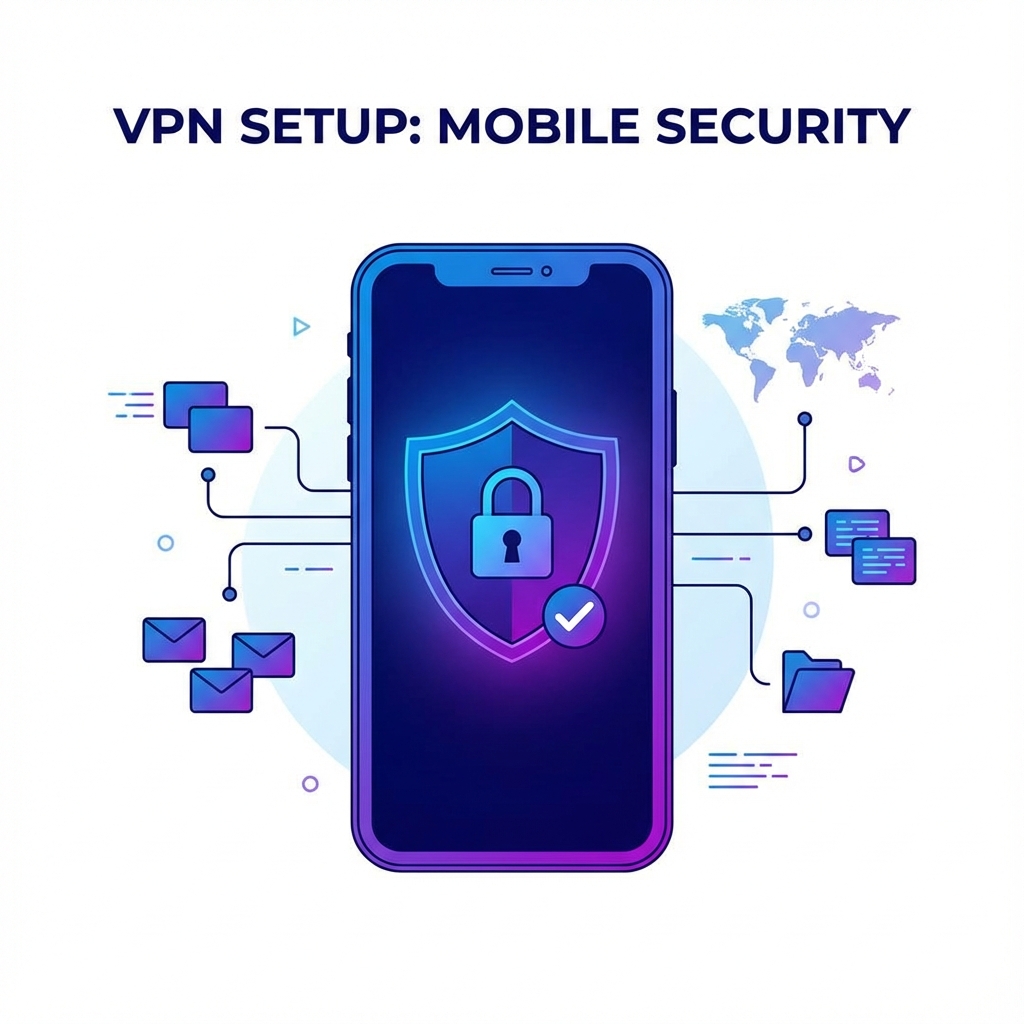

When you use a VPN, you're trusting it to protect your most sensitive data—passwords, financial information, private communications, and your entire browsing history. But how exactly does a VPN keep this information safe? The answer lies in encryption, the powerful technology at the heart of every secure VPN.
In this comprehensive guide, we'll explore VPN security and encryption in detail. You'll learn exactly how your data is protected, what different protocols offer, and how to ensure you're getting the strongest possible security from your VPN.
Understanding Encryption: The Foundation of VPN Security
Encryption is the process of converting readable data (called plaintext) into an unreadable format (called ciphertext) using a mathematical algorithm and a secret key. Only someone with the correct key can decrypt and read the original data.
Think of encryption like a lockbox for your data. You place your information inside, lock it with a key, and send it across the internet. Even if someone intercepts the lockbox, they can't access its contents without the key.
How Encryption Works
Modern encryption uses complex mathematical operations that are easy to perform in one direction but virtually impossible to reverse without the key. Here's a simplified overview:
- Key Generation: A unique encryption key is created—a long string of random characters.
- Encryption: The plaintext data is combined with the key using an algorithm, producing ciphertext.
- Transmission: The encrypted ciphertext is sent across the network.
- Decryption: The recipient uses their key to reverse the process and recover the original data.
Symmetric vs. Asymmetric Encryption
VPNs use both types of encryption for different purposes:
Symmetric Encryption uses the same key for both encryption and decryption. It's fast and efficient, making it ideal for encrypting large amounts of data. AES-256 is a symmetric encryption algorithm.
Asymmetric Encryption (also called public-key encryption) uses two different keys—a public key for encryption and a private key for decryption. It's slower but solves the key exchange problem. RSA and Elliptic Curve Cryptography (ECC) are asymmetric algorithms.
In a VPN connection, asymmetric encryption is typically used at the start to securely exchange symmetric keys. Then symmetric encryption handles the bulk data transfer for better performance.
AES-256: The Gold Standard in VPN Encryption
When VPN providers advertise "military-grade encryption," they're typically referring to AES-256. But what makes this encryption standard so special?
What is AES?
AES (Advanced Encryption Standard) was established by the U.S. National Institute of Standards and Technology (NIST) in 2001 after a five-year competition to replace the aging DES standard. The winner was an algorithm called Rijndael, created by Belgian cryptographers Vincent Rijmen and Joan Daemen.
The Power of 256-Bit Keys
The "256" in AES-256 refers to the key length—256 bits. This creates an astronomically large number of possible keys:
To put this in perspective: if every computer on Earth worked together trying one billion keys per second, it would take longer than the age of the universe to try them all. AES-256 is considered quantum-resistant—even theoretical quantum computers couldn't break it efficiently.
How AES-256 Protects Your Data
AES-256 works by processing data in 128-bit blocks through multiple rounds of transformation:
- SubBytes: Each byte is replaced with another according to a lookup table.
- ShiftRows: Rows of the data block are shifted cyclically.
- MixColumns: Columns are mixed using mathematical operations.
- AddRoundKey: The round key is XORed with the block.
With AES-256, these steps are repeated 14 times, thoroughly scrambling the data. The result is ciphertext that's indistinguishable from random noise.
VPN Protocols: The Engines of Secure Connections
While encryption scrambles your data, VPN protocols determine how that data is packaged, transmitted, and authenticated. Different protocols offer different balances of speed, security, and compatibility.
OpenVPN: The Industry Standard
OpenVPN has been the most trusted VPN protocol for over a decade. Here's why:
- Open-source: The code is publicly available for security audits.
- Highly configurable: Can be tuned for security or speed.
- Widely supported: Works on virtually every platform.
- Uses OpenSSL: Leverages a proven cryptographic library.
OpenVPN can run over UDP (faster, better for streaming) or TCP (more reliable, better for unstable connections). It typically uses AES-256-GCM encryption with RSA or ECDH key exchange.
Security Rating: Excellent
Speed: Good
WireGuard: The Modern Challenger
WireGuard is a newer protocol that's rapidly gaining adoption. Designed from scratch with modern cryptography, it offers:
- Simplicity: Only about 4,000 lines of code (OpenVPN has over 100,000).
- Speed: Generally faster than OpenVPN due to efficient design.
- Modern cryptography: Uses ChaCha20 for encryption, Poly1305 for authentication.
- Quick connections: Establishes connections almost instantly.
WireGuard is now included in the Linux kernel and is supported by major VPN providers including Ryn VPN.
Security Rating: Excellent
Speed: Excellent
IKEv2/IPSec: Mobile Favorite
Internet Key Exchange version 2 (IKEv2) paired with IPSec is particularly popular on mobile devices:
- MOBIKE support: Seamlessly reconnects when switching networks.
- Fast: Efficient key exchange and encryption.
- Secure: Uses strong encryption standards.
- Native support: Built into iOS and many other platforms.
Security Rating: Excellent
Speed: Very Good
L2TP/IPSec: The Veteran
Layer 2 Tunneling Protocol paired with IPSec has been around for years:
- Wide compatibility: Supported on most devices.
- Built-in: No additional software needed on many platforms.
- Double encapsulation: Can slow performance.
Security Rating: Good (but aging)
Speed: Moderate
PPTP: Avoid This Protocol
Point-to-Point Tunneling Protocol is old and insecure:
- Known vulnerabilities: Can be cracked by modern attacks.
- Legacy use only: Should only be used when no other option exists.
Security Rating: Poor
Speed: Fast (but at the cost of security)
Key VPN Security Features
Beyond encryption and protocols, look for these essential security features:
Kill Switch
A kill switch is a critical safety feature that instantly blocks all internet traffic if your VPN connection unexpectedly drops. Without it, your real IP address could be exposed during reconnection.
How it works:
- The VPN monitors its connection to the server.
- If the connection fails, the kill switch immediately blocks all network traffic.
- Your data never leaves your device unencrypted.
- Once the VPN reconnects, normal traffic resumes.
DNS Leak Protection
When you visit a website, your device makes a DNS (Domain Name System) request to translate the domain name to an IP address. Without DNS leak protection, these requests might bypass the VPN, revealing your browsing activity to your ISP.
Secure VPNs route all DNS requests through their own servers, ensuring complete privacy.
IPv6 Leak Protection
Many VPNs are optimized for IPv4 traffic. If your device also uses IPv6 and the VPN doesn't handle it properly, your IPv6 traffic might leak outside the tunnel. Good VPNs either fully support IPv6 or disable it to prevent leaks.
Split Tunneling
Split tunneling lets you choose which apps or websites use the VPN and which connect directly. This is useful for:
- Accessing local services while protecting other traffic.
- Improving speeds for non-sensitive activities.
- Banking with your real IP while streaming through VPN.
Multi-Hop (Double VPN)
Multi-hop routes your traffic through two or more VPN servers, adding an extra layer of encryption and making tracing even more difficult. It's slower but offers maximum privacy.
The No-Logs Policy: Essential for True Privacy
A VPN's encryption is only as trustworthy as its logging policy. If a VPN keeps detailed logs of your activity, those logs could be:
- Shared with governments in response to legal requests.
- Stolen in a data breach.
- Sold to third parties for profit.
What Logs Should Be Avoided
Connection logs record when you connect, from which IP, to which server, and for how long. These can reveal your identity and usage patterns.
Activity logs record the websites you visit, files you download, and content you access. These are the most invasive type of logging.
What's Acceptable
Some anonymous, aggregate data is necessary for operations:
- Total bandwidth used (not tied to individuals).
- Server load statistics.
- Connection success/failure rates.
Verifying No-Logs Claims
Look for VPNs that have:
- Independent security audits verifying their no-logs policy.
- Transparency reports detailing government requests.
- RAM-only servers that can't retain data after reboot.
- Proven track record—court cases where they couldn't provide data.
Understanding VPN Security Certifications
Several certifications and audits indicate a VPN's commitment to security:
SOC 2 Type II
This audit examines a company's security controls over an extended period, verifying that they actually practice what they claim.
ISO 27001
An international standard for information security management systems, indicating robust security practices.
Independent Code Audits
Security firms examine the VPN's code for vulnerabilities. Look for audits by reputable firms like Cure53, F-Secure, or Trail of Bits.
Common VPN Security Threats and How to Avoid Them
Man-in-the-Middle Attacks
An attacker positions themselves between you and the VPN server, intercepting communications. Strong encryption and certificate verification prevent this.
DNS Hijacking
Attackers redirect your DNS queries to their own servers to monitor or manipulate your traffic. DNS leak protection and encrypted DNS (DoH/DoT) counter this threat.
Timing Attacks
By analyzing the timing of encrypted packets, attackers might infer information about your activities. VPNs mitigate this with traffic obfuscation.
Compromised VPN Servers
If a VPN server is hacked, user data could be at risk. RAM-only servers, regular security audits, and strong server hardening reduce this risk.
How Ryn VPN Implements Security
Ryn VPN incorporates all the security features discussed in this guide:
- AES-256-GCM encryption for maximum data protection.
- WireGuard and OpenVPN protocols for flexibility.
- Automatic kill switch on all platforms.
- DNS and IPv6 leak protection enabled by default.
- Strict no-logs policy audited by independent security firms.
- RAM-only server infrastructure that can't store data.
Best Practices for Maximum VPN Security
Follow these practices to ensure your VPN provides the strongest possible protection:
- Keep your VPN app updated. Updates often patch security vulnerabilities.
- Always enable the kill switch. It's your safety net if the connection drops.
- Use WireGuard or OpenVPN. Avoid older protocols like PPTP.
- Verify your connection. Check for IP and DNS leaks regularly.
- Use secure authentication. Enable two-factor authentication if available.
- Connect before sensitive activities. Establish the VPN before logging into accounts.
- Verify server certificates. Ensure you're connecting to legitimate VPN servers.
Conclusion
VPN security is built on layers: powerful encryption algorithms like AES-256, secure protocols like WireGuard and OpenVPN, essential features like kill switches and leak protection, and trustworthy policies like no-logging.
Understanding these technologies helps you make informed choices about your online privacy. When evaluating VPNs, look beyond marketing claims and examine the actual security implementations.
With Ryn VPN, you get all these security features in an easy-to-use package. Download Ryn VPN and experience truly secure browsing.
Frequently Asked Questions
What is military-grade encryption?
"Military-grade encryption" typically refers to AES-256, which is approved by the U.S. government for classified information. It's the same standard used by Ryn VPN and other reputable providers.
Can VPN encryption be cracked?
Modern encryption like AES-256 cannot be cracked with current technology. Even with a supercomputer, cracking a single key would take billions of years.
Which VPN protocol is most secure?
WireGuard and OpenVPN are both highly secure. WireGuard is newer with modern cryptography, while OpenVPN has a longer track record. Both are excellent choices.
Does a VPN make me completely secure?
A VPN protects your internet connection but isn't a complete security solution. You still need antivirus software, strong passwords, and safe browsing habits.
How do I know if my VPN is leaking?
Use online tools like ipleak.net to check for DNS and IP leaks while connected to your VPN. These tests show if your real information is being exposed.